
Assignment 02
Story Board
Design, compose & illustrate your visual ideas in the form of a storyboard which will be used to
create your video. A storyboard is a stage by stage, graphic/illustrative representation how your video will unfold. There are many ways to create a storyboard and there is no fixed format. But a typical storyboard will have a visual frame and some notes about what is happening in the video and may contain secondary symbols or notes about the type of shot, angles et cetera. Storyboards are essential especially among designers to determine the semiotics of the visuals. Do consider how the visuals will communicate with the audience, how the designer would want the visuals to be presented to the audience or how the visuals would inform, evoke, provoke or entertain the audience. Hence, composition based on applied design principles will be useful !!!
Learning Outcome :
Can communicate cogently on contextual thinking strategies based on understanding from precedent studies.
-
Each student must produce a storyboard (developmental) which signifies the most feasible idea based on his/her design satement.
-
The student is required to propose two possible storylines or visual directions in text. Discuss with you tutor during the tutorials and finalise into one before visualising it as the storyboard.
-
Create a storyboard: Illustrate the chosen storylines with a preferred technique (traditionalon A4 paper or digital illustration). Type of medium for illustration or style can be decided.
-
Each storyboard must have descriptions/ captions and necessary information. The students areencouraged to search for references and select his/her preferred layout.
-
Upload your progression (Task 4) to your CTX e-journal (e-portfolio site) and use thisto discussyour ideas during the tutorials- progress meetings.
-
Submit your story board to Google Drive (will be informed) in PDF format together with arubric.
Task Requirement :
Learning Objectives :
Based on the findings, analysis and conclusion (design statement) in your TASK 1, you would have narrowed down to a single problem question, issue, a specific hypothesis (theoretical statements) or an interesting concept. Once that is in place, your next step would be to enact, illustrate or construct your findings using a storyboard. Your goal for the video is to create a
conceptual or abstract interpretation of the findings or meaning of the story using 2 dimensional or 3 dimensional mediums and animating them using techniques like, stop motion, time-lapse or using photographic/video special effects (such as green screen, costume design & make-up)
TGC Aqquired :
-
TGC : Thinking and Problem Solving skills
- 3.1 Think critically and creatively
- 3.2 Define and analyse problems to arrive at
effective solutions.
Click to Download :
Slide 01
This slide is a Cover Page.

Slide 02
This slide shows the design statement.

Slide 03
The slides show the summary of the storyline.
.png)
Slide 04
The slides shows the first page of the storyline.

Slide 05
The slide shows the second page of the storyline.
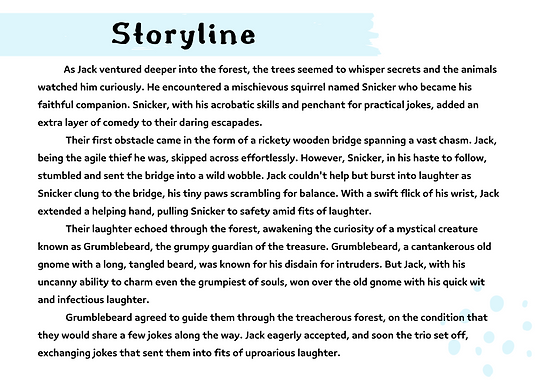
Slide 06
The slide shows the third page of the storyline.

Slide 07
This slide shows the poster that I roughly made for the storyboard.

Slide 08
The slide shows the first page of my storyboard.

Slide 09
The slide shows the second page of my storyboard.

Slide 10
The slide shows the third page of my storyboard.

Slide 11
The slide shows the 4th page of my storyboard.

Slide 12
The slide shows the 5th page of my storyboard.

Slide 13
The slide shows the 6th page of my storyboard.

Slide 14
The slide shows the 7th page of my storyboard.

Slide 15
The slide shows the 8th page of my storyboard.

Slide 16
The slide shows the 9th page of my storyboard.

Slide 17
The slide shows the 10th page of my storyboard.

Slide 18
The slide shows the 11th page of my storyboard.

Project Name
The slide shows the 12th page of my storyboard.

Slide 20
The slide shows the 13th page of my storyboard.

Slide 21
The slide shows the 14th page of my storyboard.

Slide 22
The slide shows the 15th page of my storyboard.

Slide 23
The slide shows the 16th page of my storyboard.
